Revid AI Short Drama Generator: I Made "What Did You Do" From Scratch
I wrote a 3-scene betrayal script, defined two characters with image prompts, and hit generate. Revid produced a cinematic micro-drama with consistent characters, voiced dialogue, and a cliffhanger ending. Here's the full process and the actual output.
The Output — Watch It First
Before the breakdown: here's the finished micro-drama, generated entirely from the script and character prompts below. Revid titled it "What Did You Do" — and generated this key art automatically.
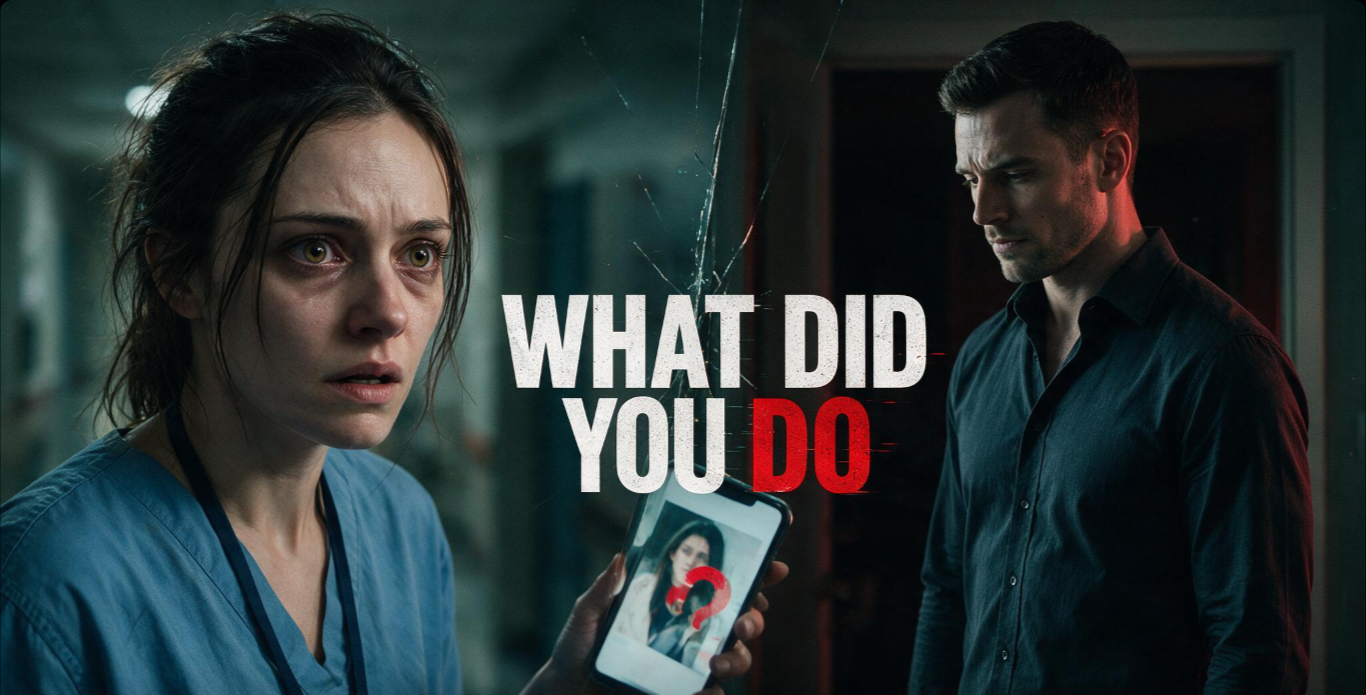
That's the raw output from one generation. No editing, no post-processing. Here's exactly how I got there.
The Tool: AI Short Drama Generator
Revid AI's AI Short Drama Generator is a dedicated tool — separate from the Movie Maker and the standard faceless video generator — specifically built for vertical micro-drama content. It promises consistent characters across scenes, voiced dialogue, and a structure that hooks viewers and demands a part 2.
The input is flexible: you can drop in a one-line idea and let Revid generate the script, or write the full scene-by-scene script yourself. I wrote mine from scratch to control the hook, the confrontation, and the cliffhanger.
The Script I Used
The concept: a nurse comes home to find her rent money gone — drained by her husband — and receives a mysterious text hinting there's more to the story. Three scenes, one unanswered question.
The structure follows the short drama formula: open on a visual conflict the viewer can read instantly (bank account, $0), escalate with a confrontation that reveals a cold side of the antagonist, end on a question that can't be answered in this episode. That's the hook that drives replays and part-2 demand.
The Character Prompts
Consistent characters across scenes require a clear image prompt per character. I generated the character reference images in Google Flow first, then used those prompts in Revid to match the visual style. Here's what I used:
The contrast between characters is intentional: Maya in scrubs (exhausted, working-class, vulnerable) versus Derek in a business shirt (polished, cold, calculated). Visual contrast does storytelling work before anyone speaks.
The Process — Step by Step
- Open the tool: In Revid AI, go to All Tools → AI Short Drama Generator. It's distinct from the Movie Maker — look for it in the tools grid.
- Set your aspect ratio: Click the ratio selector top-right before writing anything. I used 16:9 for this test (best for YouTube and web). For TikTok or Shorts, choose 9:16 instead — it's the native format for short drama on social.
- Paste the script: I pasted the 3-scene script above directly into the input field. Revid accepted it without modification.
- Generate character images in Google Flow: Before opening Revid, I created reference images for Maya and Derek in Google Flow using the prompts below. Having a visual reference makes it easier to describe the characters consistently to Revid's generation system.
- Add character prompts to Revid: I entered the Maya and Derek prompts separately in Revid for character consistency across scenes.
- Set duration to 30s: The tool defaults to 30 seconds. For a 3-scene micro-drama this is the right length — tight enough to hold attention, long enough to establish conflict.
- Hit Generate: Estimated cost was 359 credits. Processing took a few minutes and returned the finished 16:9 video above.
What Worked
Script Writing Tips for Short Drama
After working through this format, here's what makes the difference between a clip that hooks and one that falls flat:
- Open on a readable visual — a number, a document, a notification. Something the viewer can process in one second without narration.
- The antagonist must be calm — panic vs. panic is noise. Panic vs. cold composure creates unease.
- End on a question, not an answer — the cliffhanger is the entire engine of short drama engagement. Never resolve the central tension.
- Name characters in brackets — [Maya], [Derek]. This signals to Revid's system which voice and character visual to use for each line.
- Keep scene descriptions cinematic — "close-up on her hand crushing the envelope" gives the AI something to render. "She was upset" gives it nothing.
Credit Cost & Pricing
This 30-second short drama cost 359 credits. On Revid AI's Growth plan ($49/month), you get enough credits for roughly 10–15 short dramas per month depending on length. The Starter plan ($18/month) covers lighter usage.